Tata Play SMART · Subscriptions · 2026
Pick your languages, see the price as you go.
Tata Play SMART is sold by language. As one of three designers on the team, I worked on how people build a plan on mobile and web, so the price is on screen from the first tap, and on what happens when someone tries to change a plan they already have.

Role
Product designer
One of three designers, working with two product managers, across mobile and web
Status
Live
Launched 15 Oct 2026 with Tata Play SMART, from ₹199 a month
Platforms
Mobile and web
Android, iOS and tataplaysmart.com. Watched on Samsung, Android TV, VIDAA, Google TV and Fire TV
The context
Pay for the languages you actually watch.
Tata Play SMART streams 500+ live channels to Smart TVs and phones, with no dish or set‑top box. It launched on 15 October 2026 for Samsung, Android TV, VIDAA, Google TV and Fire TV, from ₹199 a month.
In India, TV is watched by language. A Marathi household and a Tamil household want very different channels, so plans are built around languages, not channel counts.
The first subscribe journey asked people to design a channel pack before showing a price. The redesign turns that around, and has to explain the billing rules underneath it.
Base
₹199 a month, includes your first language
Add‑on
+₹99 for each extra language
English
Free with any language
Changes
Scheduled for the next bill. One pending change at a time
LG TVs
Not supported. No Play Store, and no LG app yet
The first version
Four steps before a single price.
Pick up to three languages, tick genres in a grid of 21 checkboxes, then compare two plans across three device options. Most people only wanted to know what Hindi would cost.
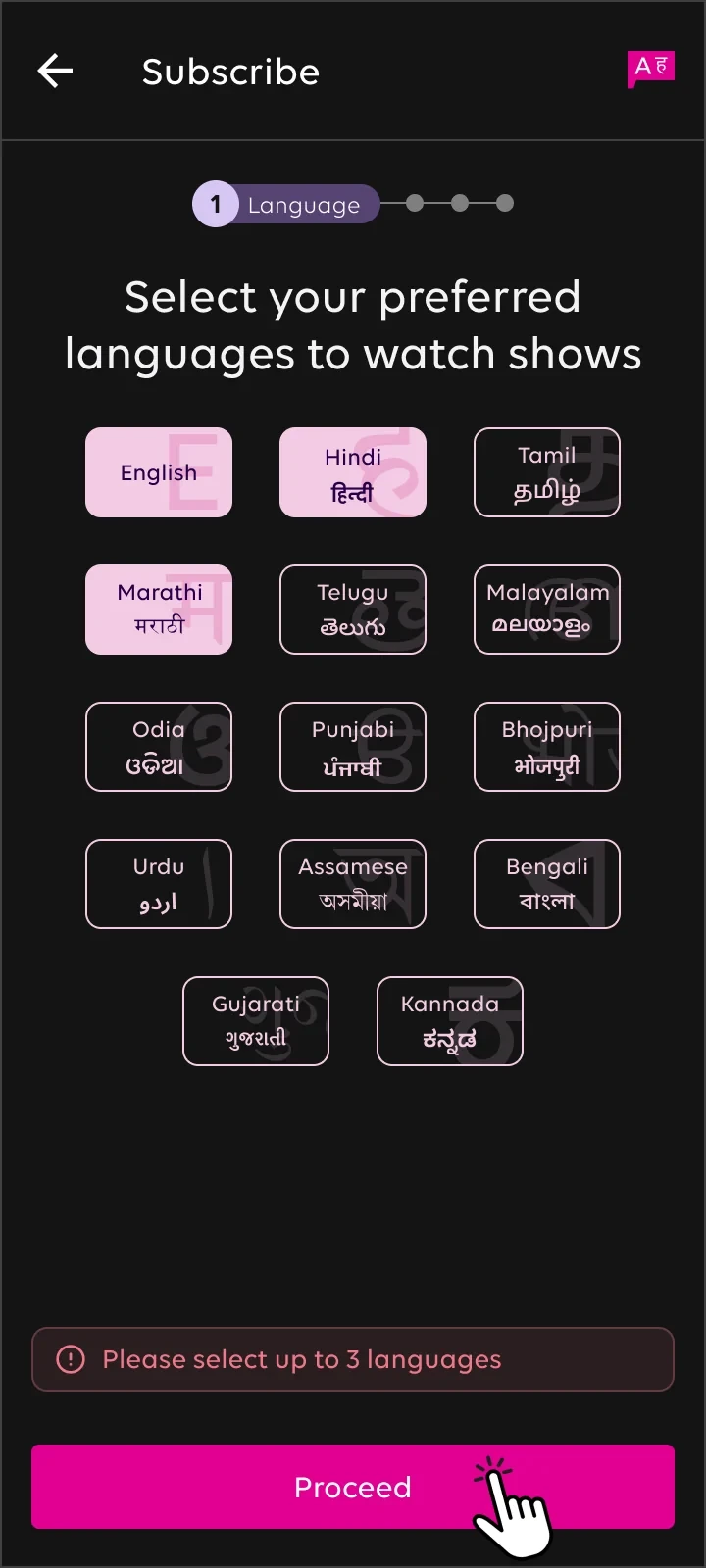
01 · Languages
Capped at three, with an error past that
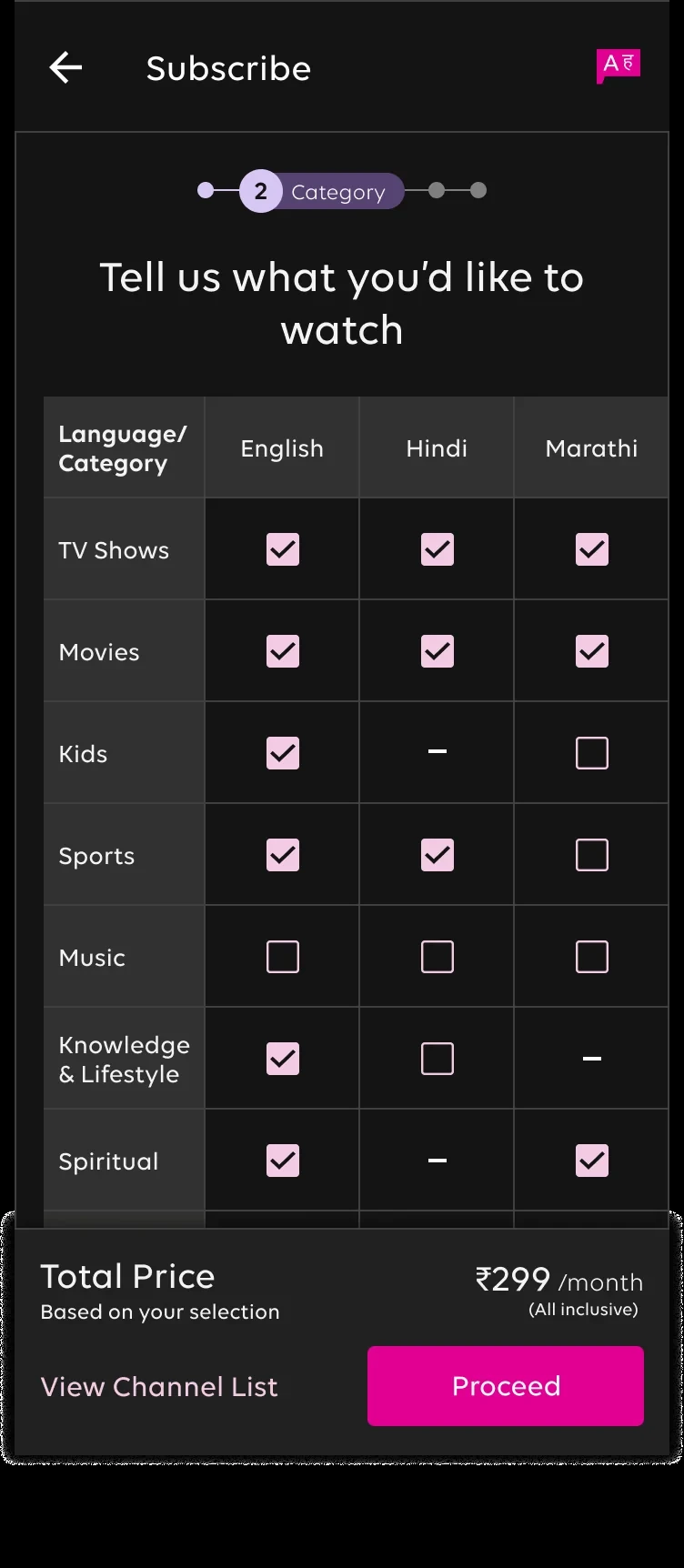
02 · Genres
A checkbox for every genre in every language

03 · Plans
Two plans, three device prices each
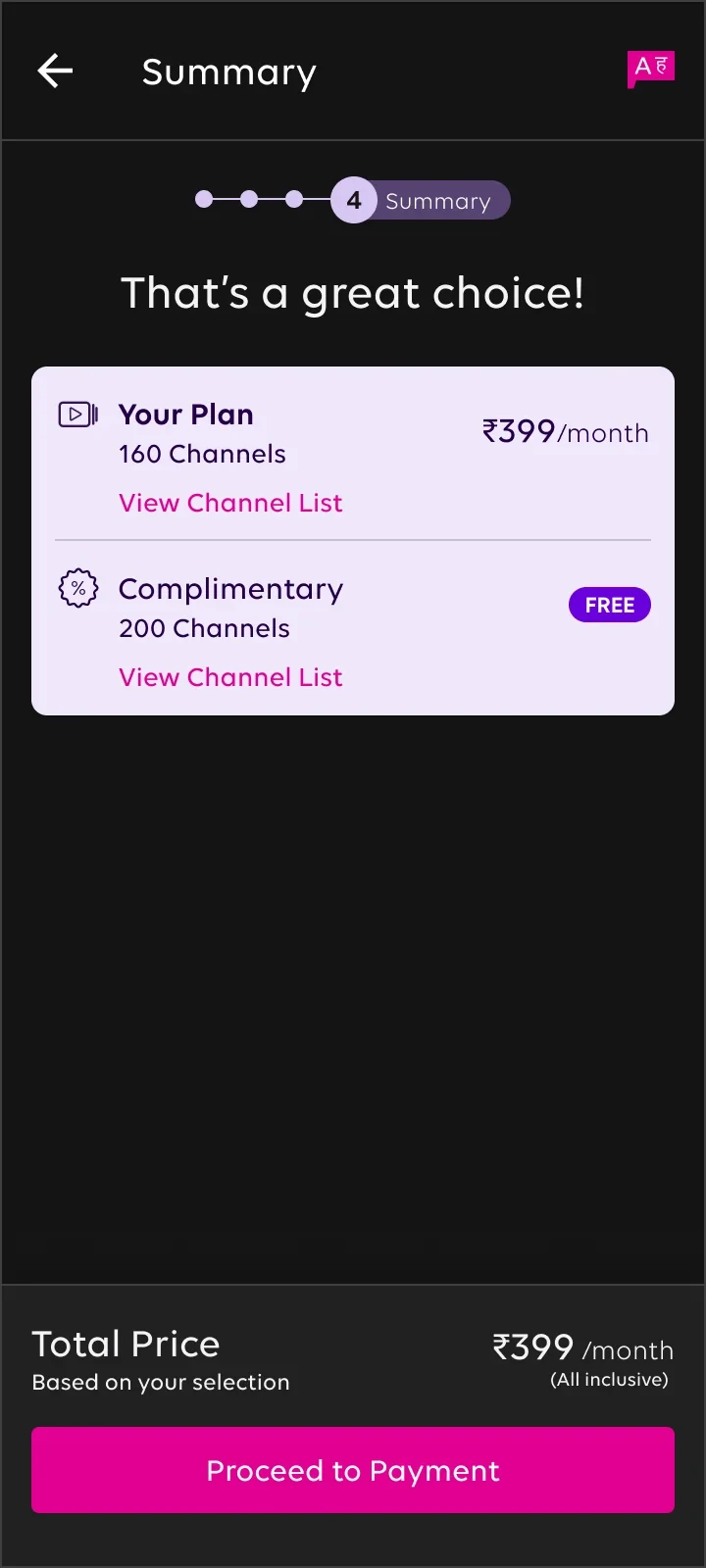
04 · Summary
The total, shown at the very end
Try it
Build a plan, watch the price.
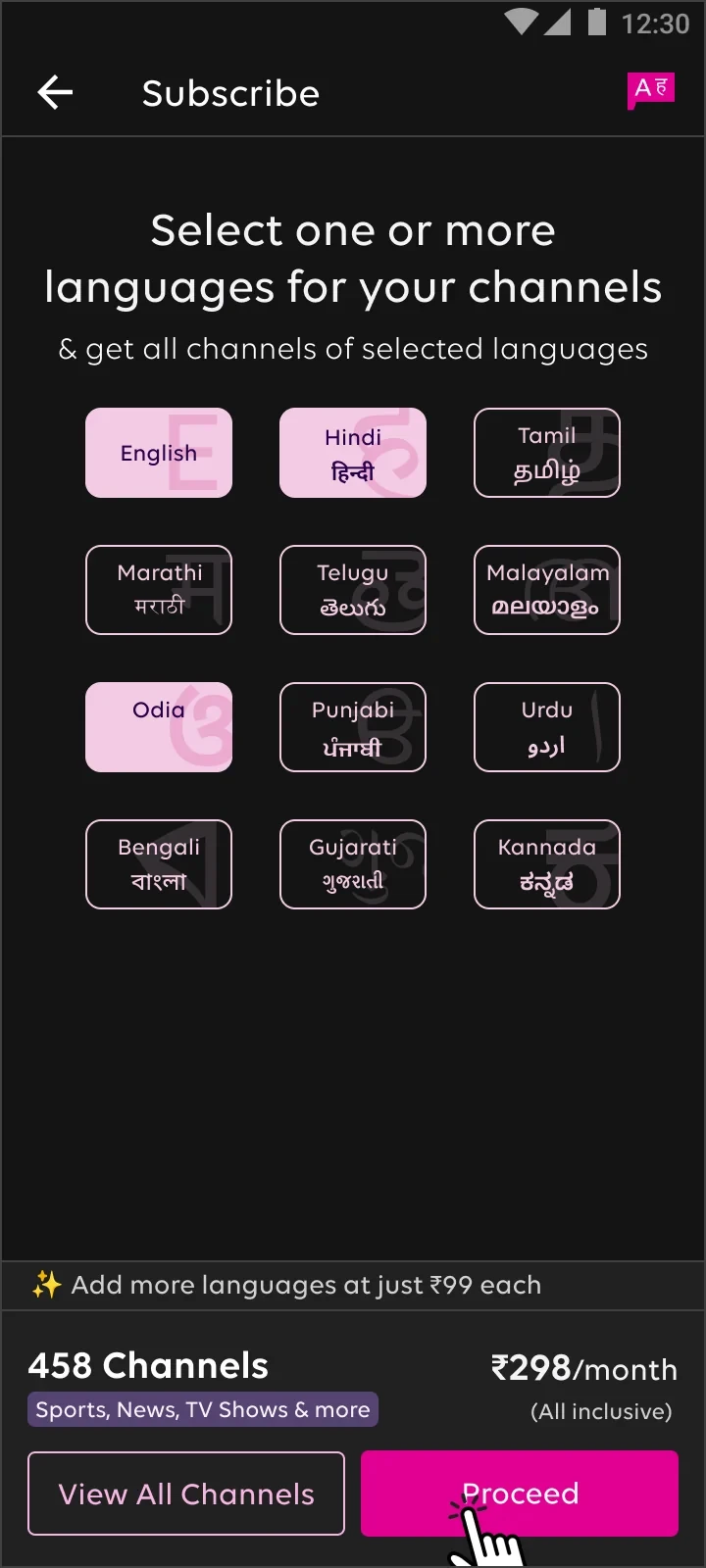
This is the pricing logic behind the new Subscribe screen. Pick languages and the monthly price updates with every tap, the way it does in the app.
01
The price lives on the screen
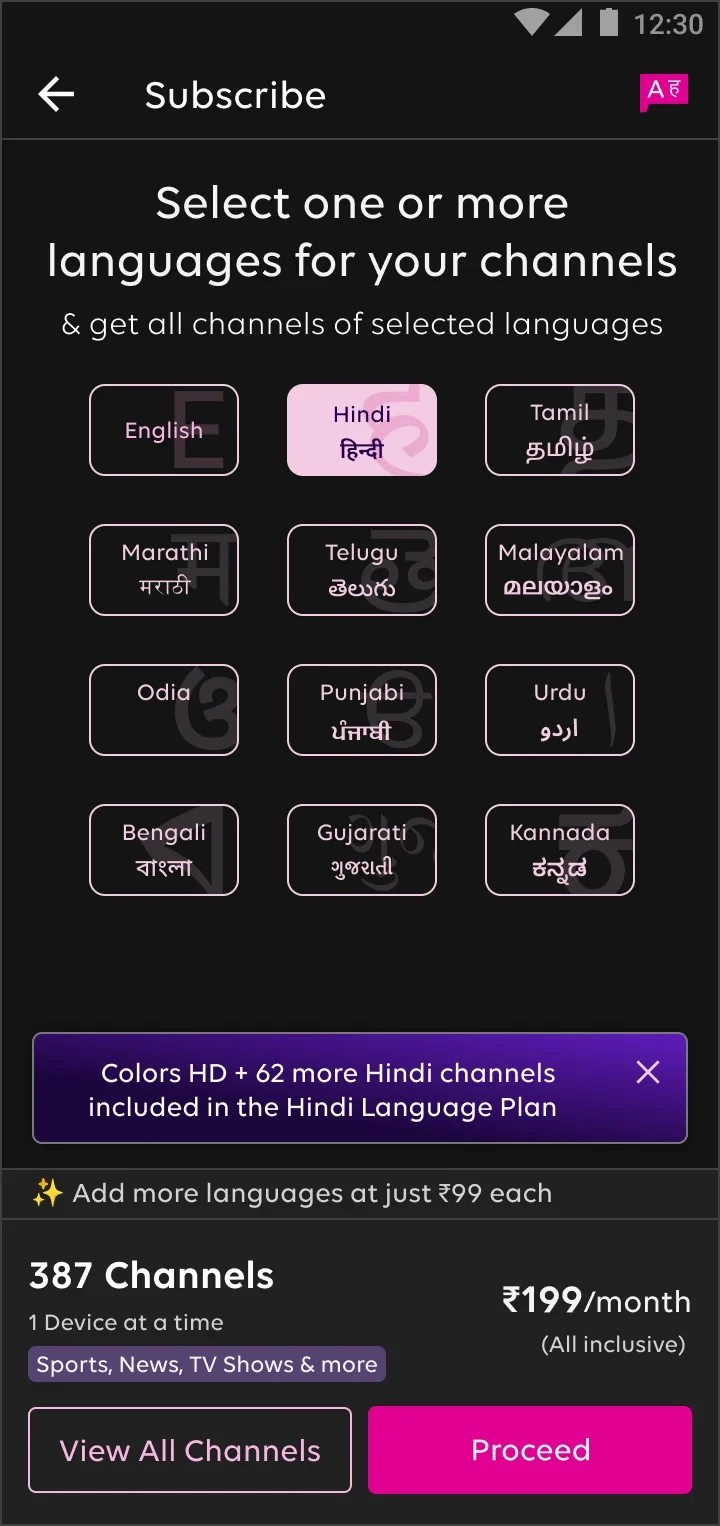
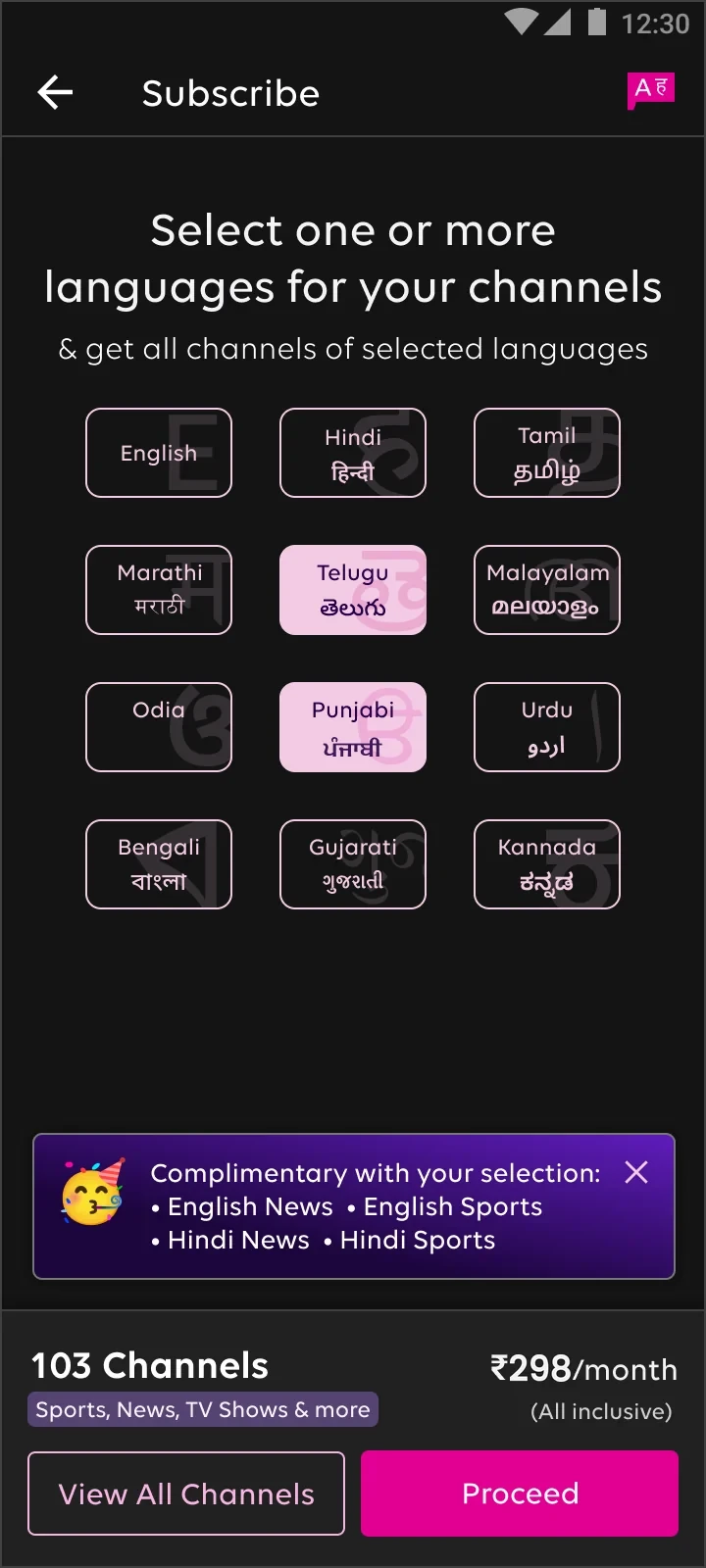
The bar at the bottom shows channels and ₹ a month for the current selection, and updates with every tap. There’s no separate pricing page.
02
Free things are said out loud
Pick Hindi and a toast says English news and sports come at no extra cost. Pick Telugu and Punjabi and it lists the English and Hindi channels included.
03
One plan, not six
The selection becomes one recommended plan, with View all channels for anyone who wants the full list.
04
₹99 to add more
Once the first language is in, a quiet line appears: “Add more languages at just ₹99 each.”
Flow 01 · Subscribing
From Subscribe to watching.
A Smart TV check, languages with a live price, one plan, then autopay. Web follows the same steps on a wider screen.

Flow 02 · Changing a plan
One change at a time.
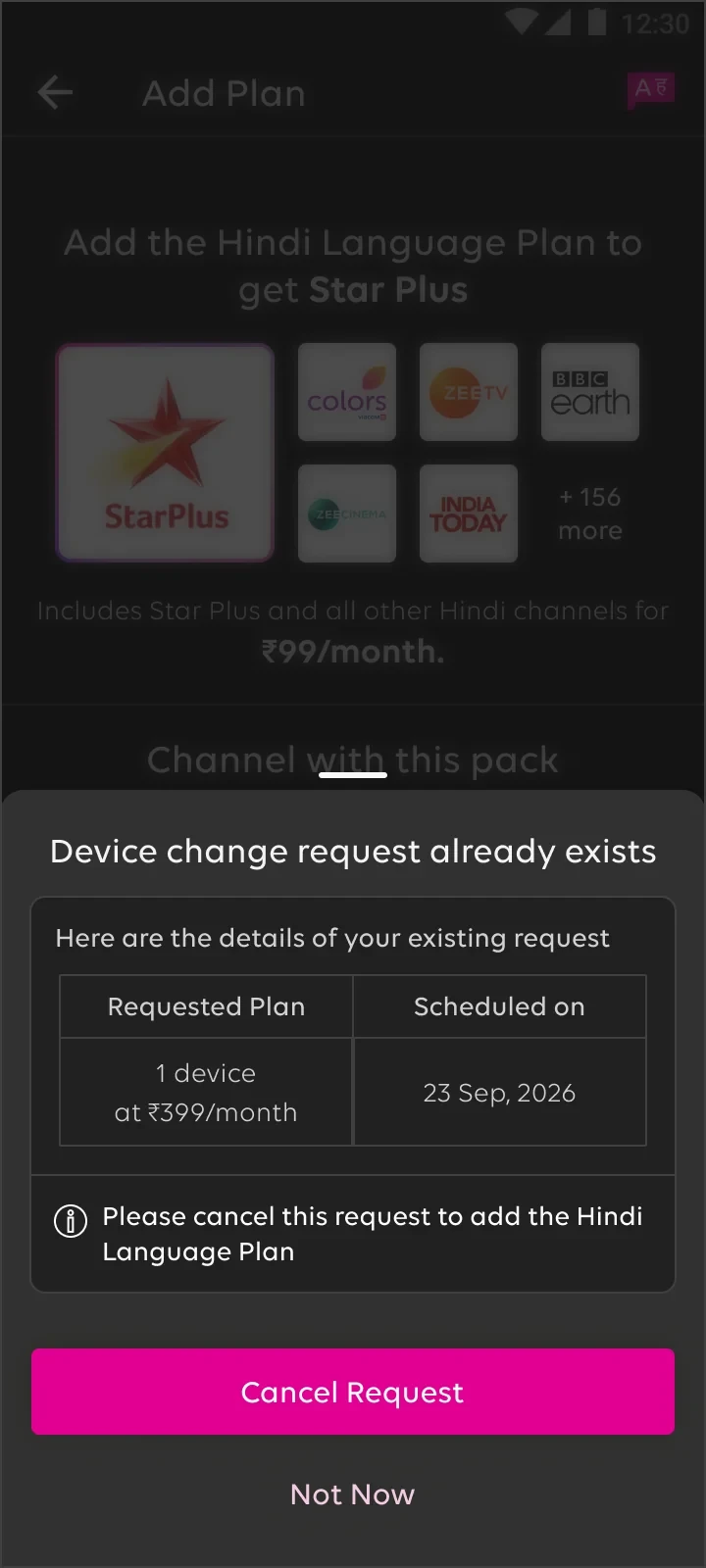
Downgrades, device changes and cancellations don’t happen today. They’re scheduled for the next bill, and only one can wait in the queue. So what happens when someone with a pending change taps a channel they don’t have?


Plan change pending
230 channels at ₹549, from 23 Sep
Device change pending
1 device at ₹399, from 23 Sep

Cancellation pending
The ₹549 plan ends on 23 Sep

After cancelling
Straight back to the Hindi plan
Decision 01
Show the request, not an error
The sheet names the pending plan and its date, so people know exactly what they’d be undoing.
Decision 02
Same rule, three messages
Plan change, device change and cancellation each get their own words. The action is always the same: cancel it, then continue.
Decision 03
Keep their place
After cancelling, they’re back on the Hindi plan with “Continue with subscription”, not on the home screen.
Before they pay
Say it before the payment.
LG TVs don’t have the Google Play store, and there’s no LG app yet. People were paying on their phone and finding out at the TV. Now the note sits right under “Do you have a Smart TV?” and again on the plan, before payment.


What success looks like
What we’ll measure.
Subscribe to paid
Subscribe taps that end in a successful payment, mobile and web
Languages per plan
Blocked add‑ons
Pending requests that stop an add‑on, and how many continue after cancelling
LG refunds
Payments from LG owners, before and after the note
Live since 15 Oct 2026. Results will be added here.
Looking back
Showing the price on every tap was the easy win. The real work was the rules underneath: what changes today, what waits for the next bill, and how to say that in one sheet.
Vishal Thakur · Product designer
Previous case study: the 5‑day free trial →