Gantt Chart
Visual timeline for managing complex dependencies but felt heavy for quick, everyday use.
Great for detailed project tracking.
Required training; not ideal for simple workflows.

Interactive Prototype
Enabled visual scheduling for 10K+ weekly backup jobs, reducing failure risks and improving resource planning
UX Designer (HFI & Dell)
Design System Team (IDS)
Dev Team
12 Months
2024-25
As the Lead Designer, I was responsible for:
Understanding how scheduling worked in the existing PPDM flow
Identifying key user pain points
Exploring and defining new design directions for better usability
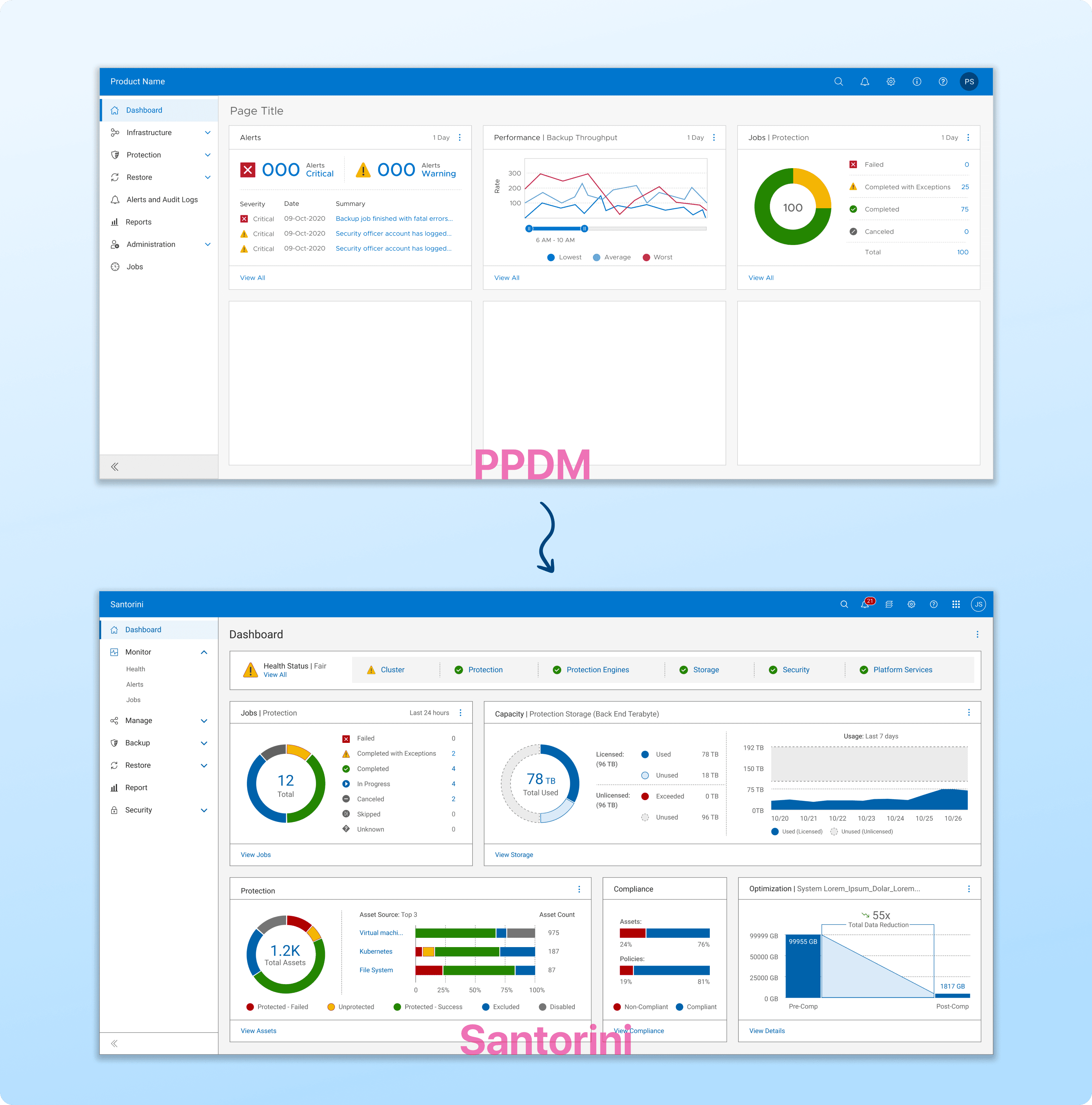
PPDM has worked well for years, but like any tech, it needed to evolve. That’s where Dell’s Santorini project comes in.
What is Santorini?
Santorini is the next-generation version of Dell PPDM, built to scale better, run faster, and handle complex enterprise workflows more efficiently.
Key improvements:
Better performance
Cleaner architecture
Easier management of large-scale data operations
Why was it needed?
The existing PPDM had limitations such as:
Missing features compared to competitors
Performance issues during heavy backup schedules
Limited visibility into job schedules and success rates
Santorini was designed to address these gaps and modernize PPDM into a more scalable, future-ready platform.
Before moving into design, we first needed to clearly define what problems we were solving.
We conducted user interviews with 5 backup admins and 3 system engineers, and reviewed competitor dashboards to learn:
What data users rely on in their daily workflows
Where the current PPDM experience caused friction
How we could make the new design scalable and efficient
Key Decisions from This Phase
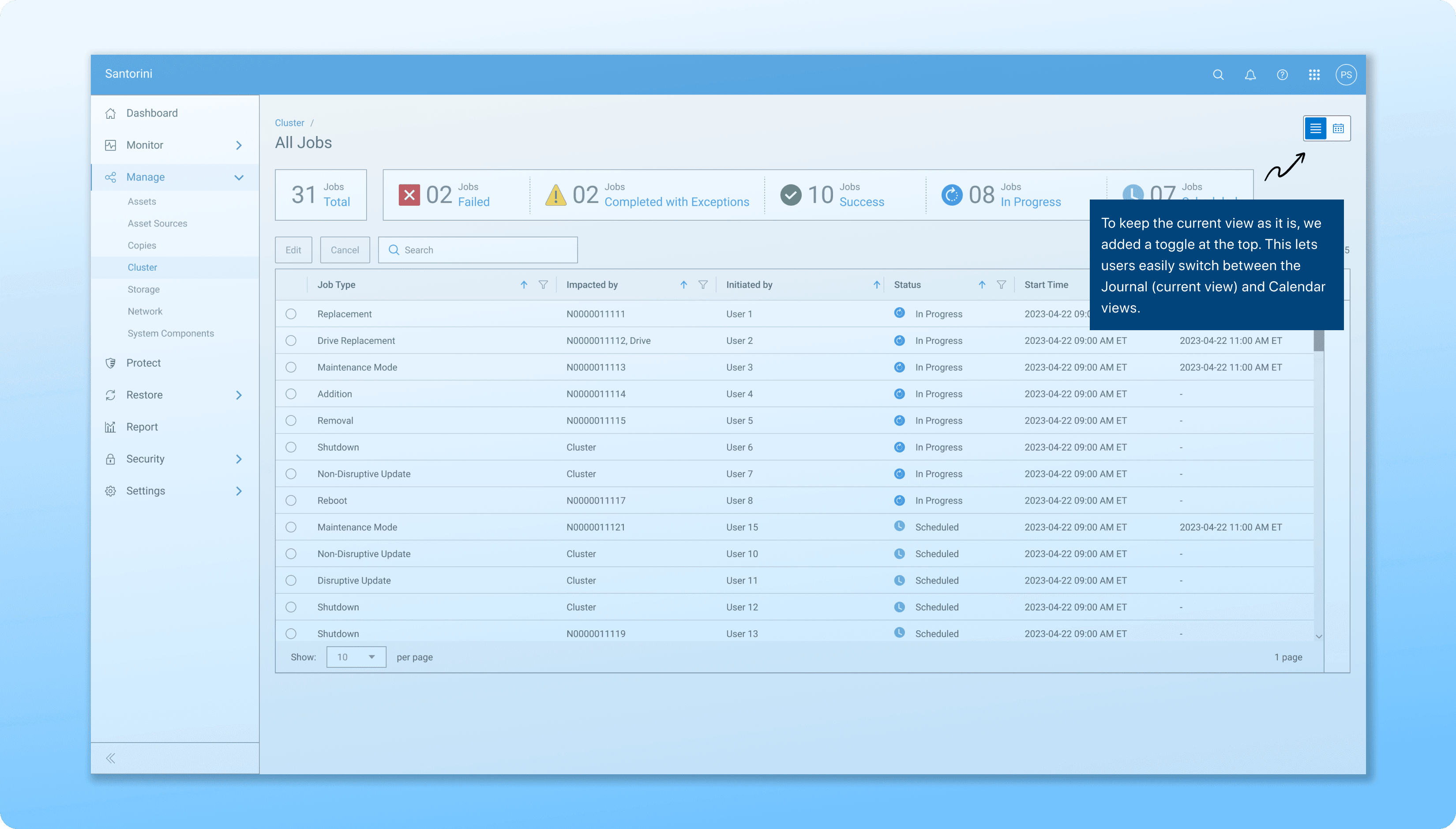
1/ Keep the Current View
2/ Design for Scalability
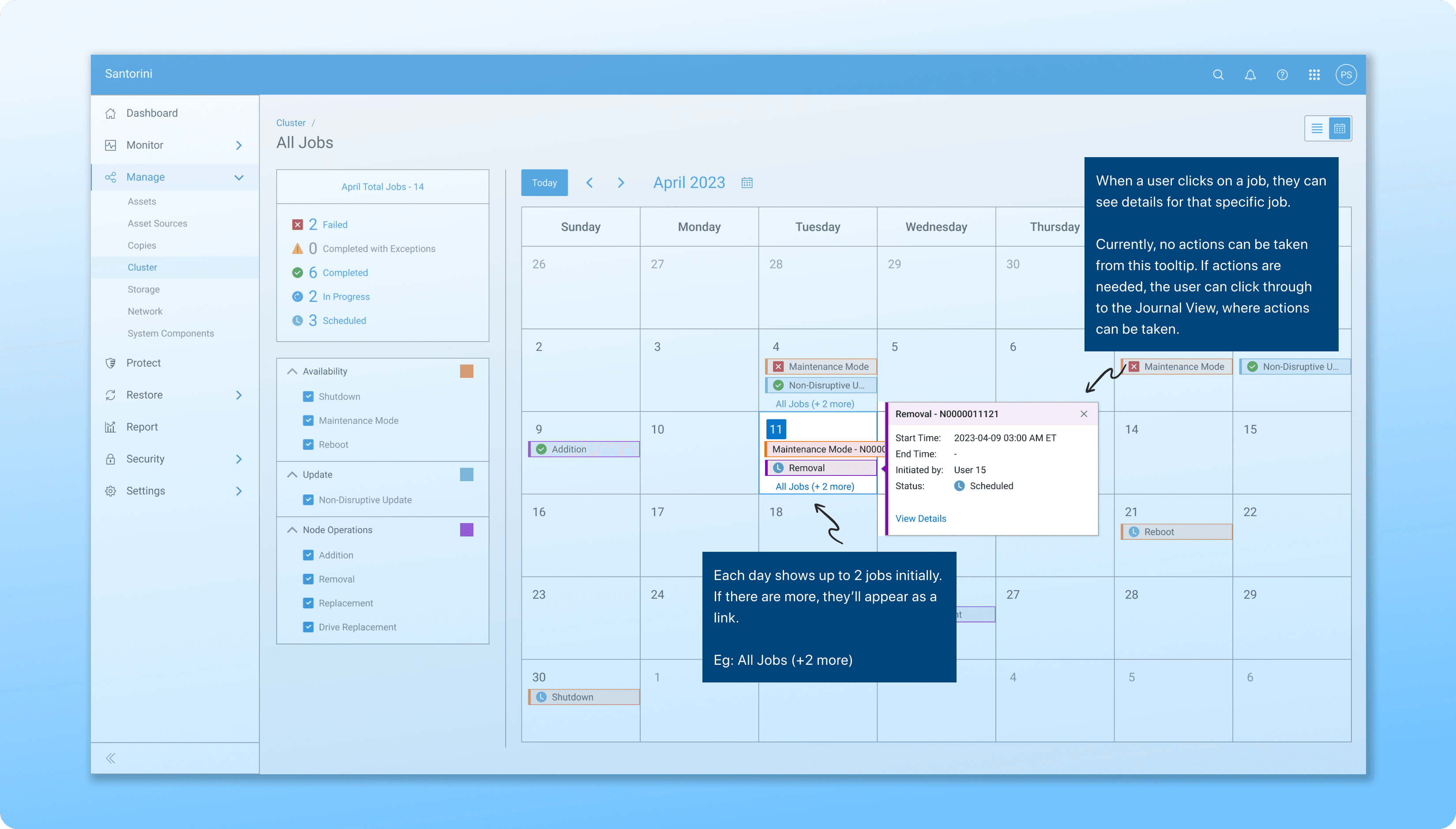
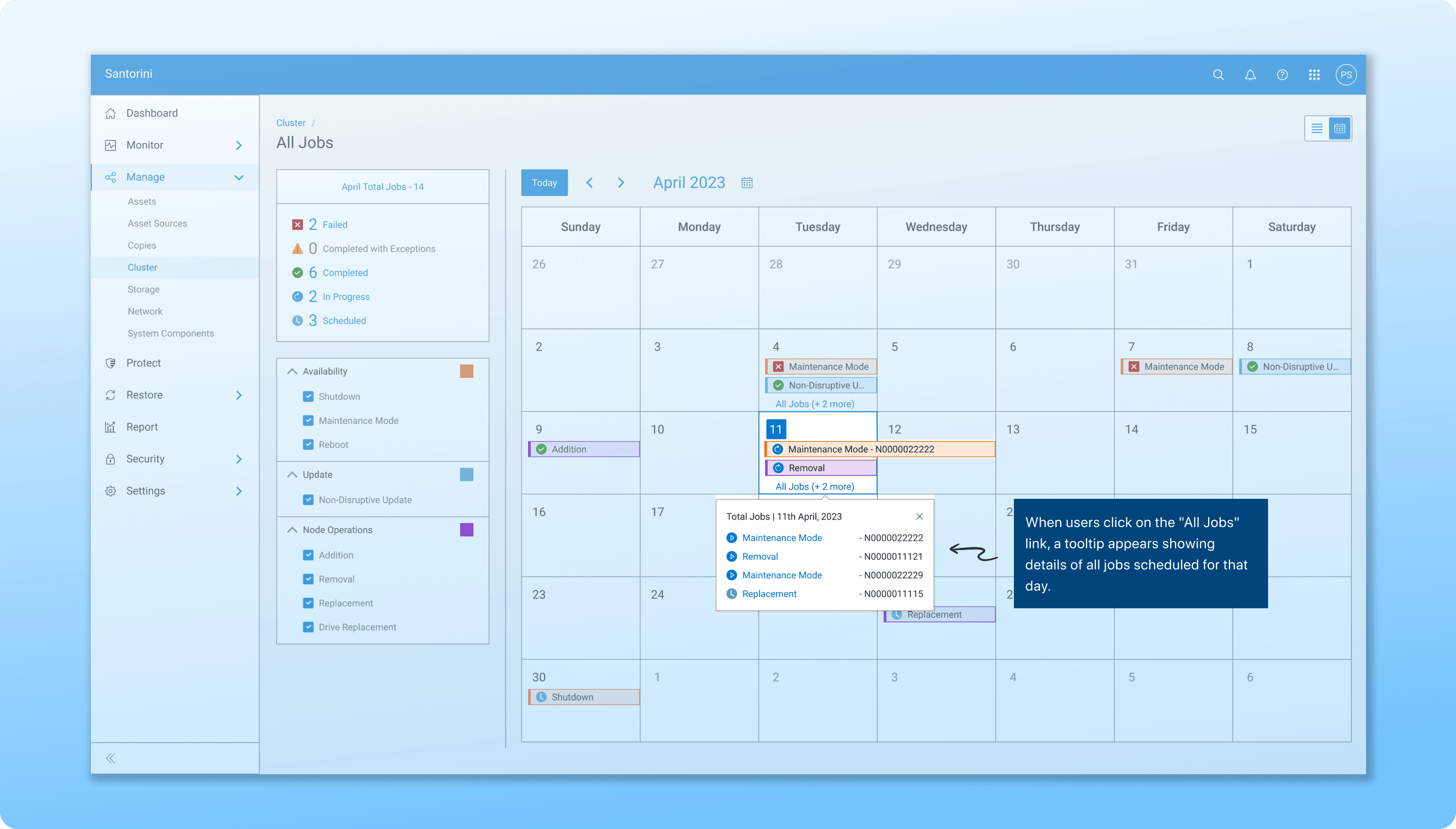
3/ Show Key Job Info
Before jumping into final designs, we explored multiple directions for how the schedule could be visualized.
The goal was to balance clarity, ease of use, and scalability - without overwhelming the user.
After brainstorming, we focused on two primary design directions:
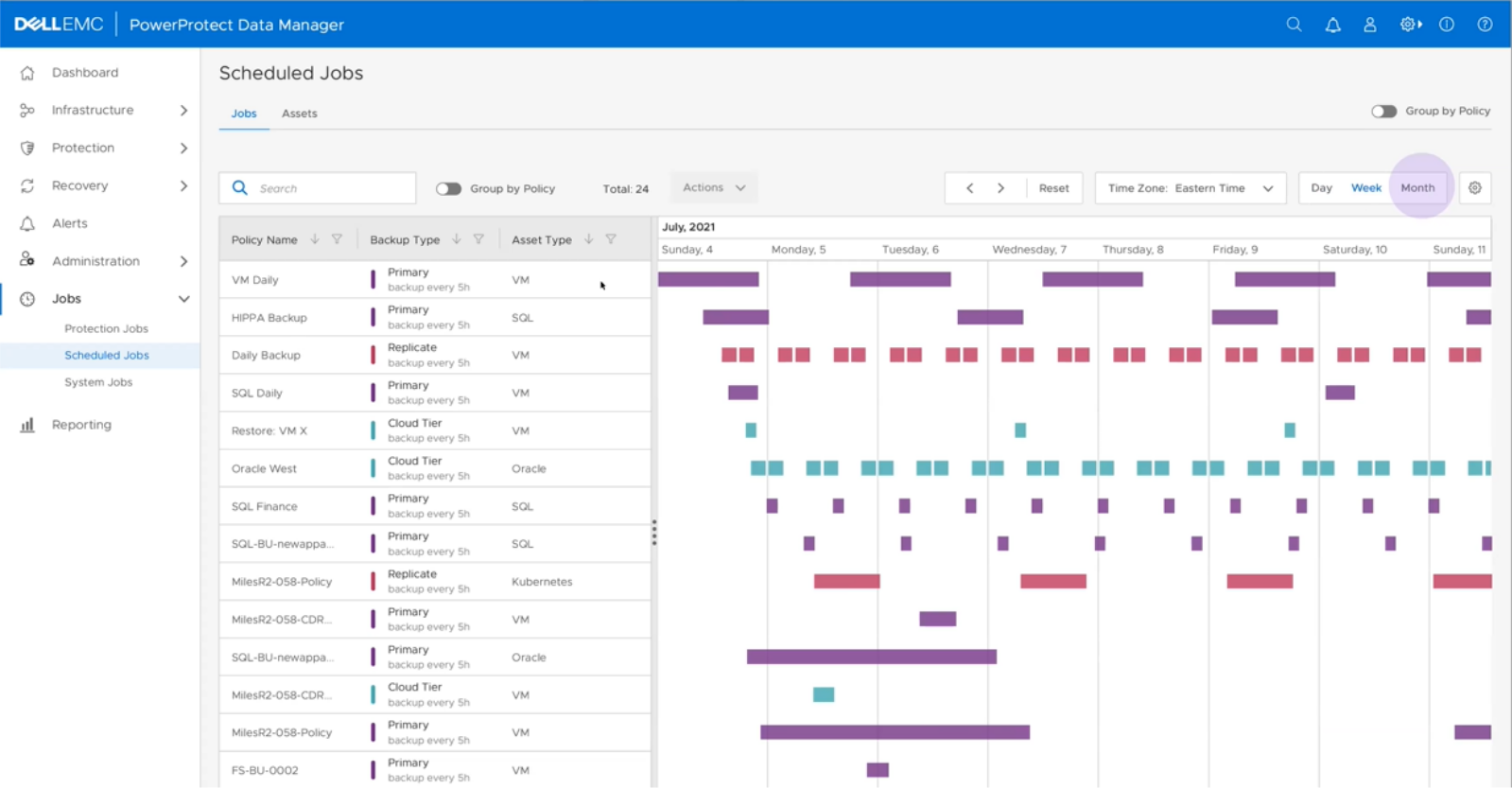
Gantt Chart
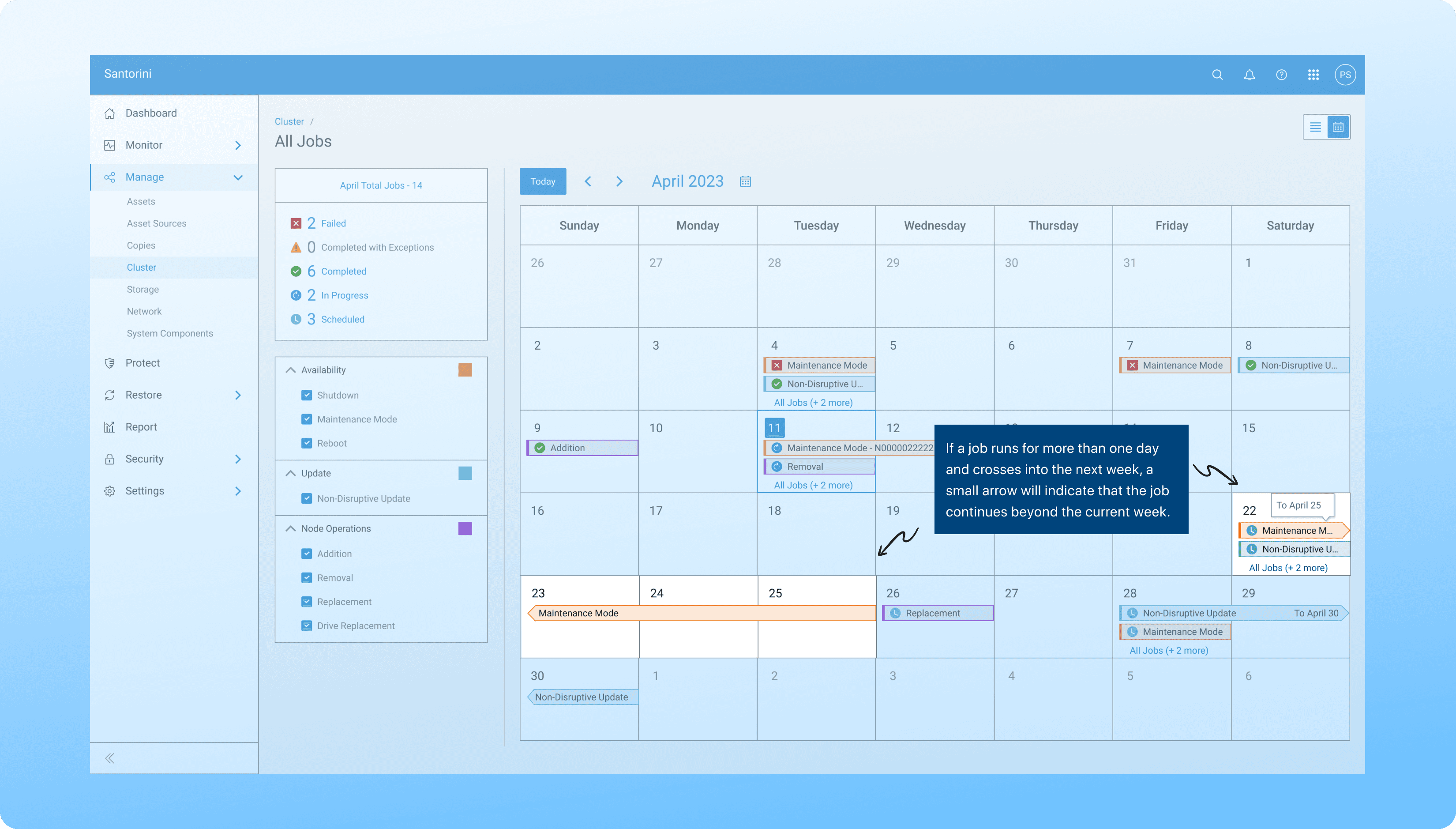
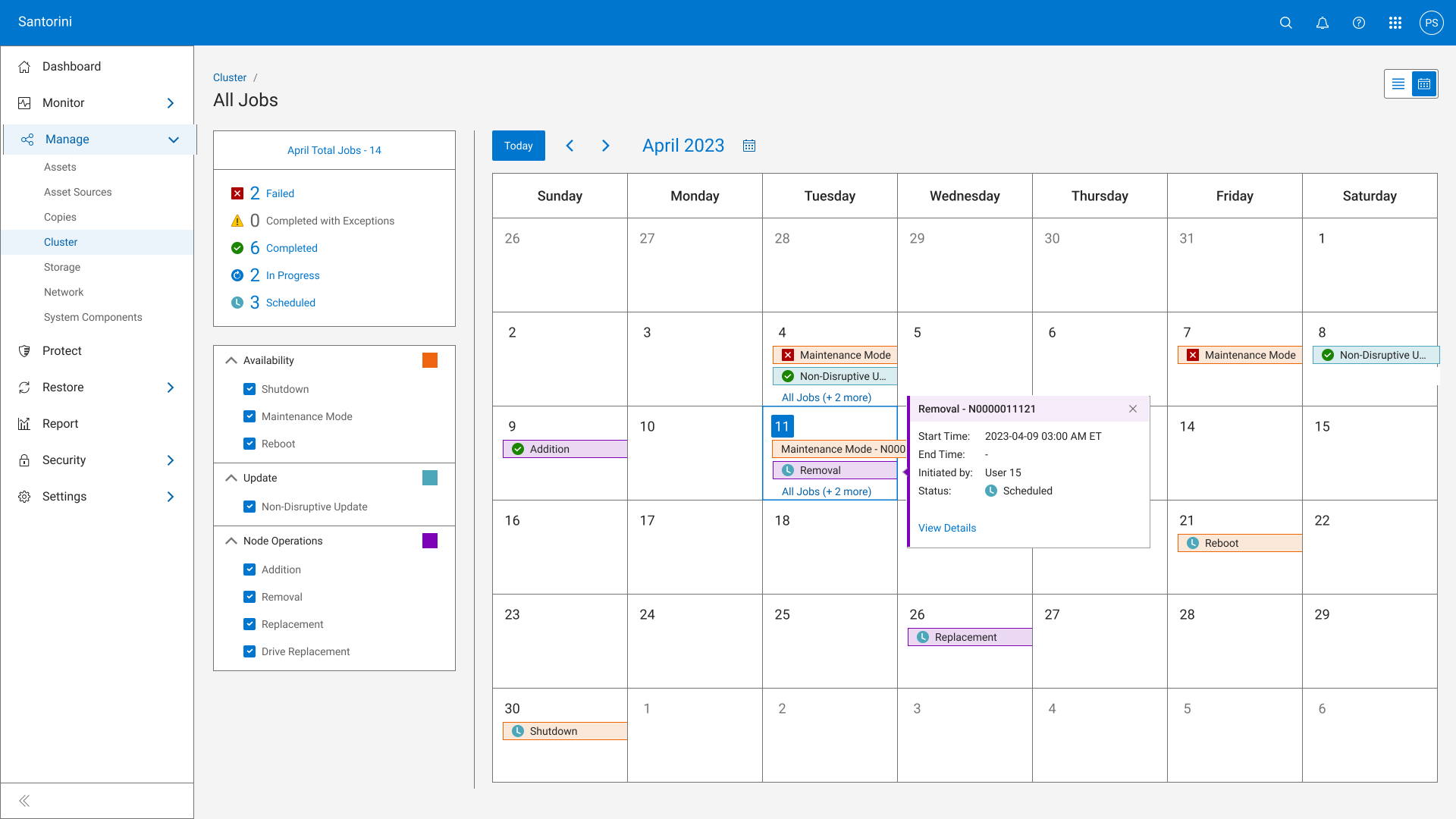
Calendar View.
Gantt Chart
Visual timeline for managing complex dependencies but felt heavy for quick, everyday use.
Great for detailed project tracking.
Required training; not ideal for simple workflows.
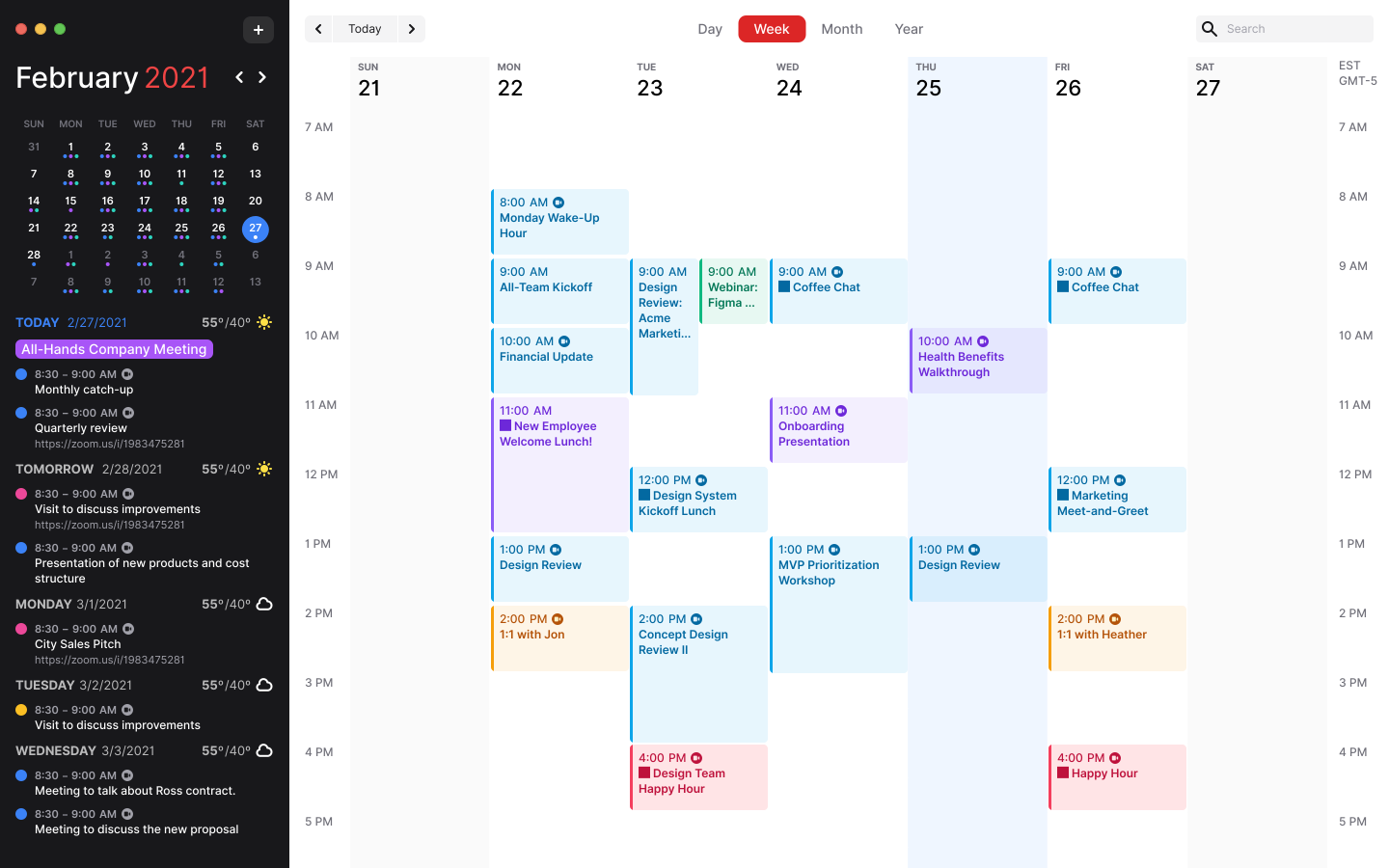
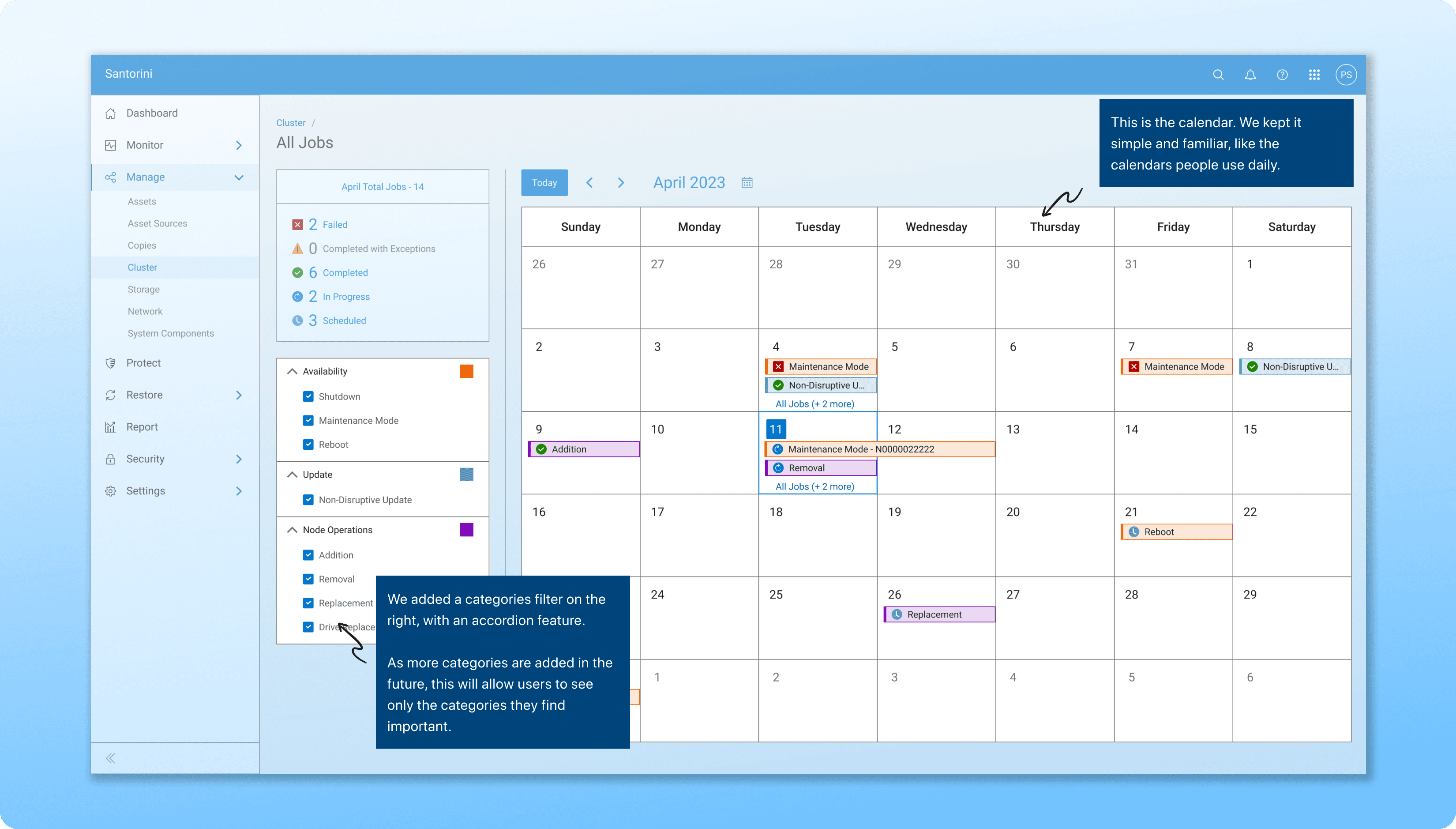
Calendar View
Simple, intuitive layout displaying key dates and milestones.
Quick to understand, easy to scan.
Limited for very large, multi-project tracking.
Key Decision from This Phase
After comparing both directions, we chose the Calendar View.
It offered a familiar, lightweight experience that helped users understand job schedules at a glance addressing the main usability issue we identified in research.
Because the Calendar view wasn’t part of the existing design system, I collaborated with the core design team to review and standardize new patterns.
This helped ensure that any future use of calendars across the product would stay consistent, scalable, and system-friendly.
Our goal wasn’t just to deliver a new feature - it was to strengthen and evolve the
Dell's IDS design system.
Final Screens
Interactive Prototype
What the North Star Will Include:
Granular Views
Add week and day modes for detailed tracking
More Job Categories
Support growing backup types and complexity
Inline Actions
Allow users to create and manage schedules directly from the calendar
Final Thoughts:
Designing the Schedule Visualization feature for Santorini was a step forward in making backup task management more visual and intuitive.
Through this project, I learned the value of designing for scalability ensuring that new features not only solve today’s problems but also strengthen the foundation for future growth.